Home Apps Google Keep - Notes and lists

Google Keep - Notes and lists

Tools Google LLC 4.7

App info

Developer
Google LLC
Platform
Android
Category
Tools
Rating
★ 4.7
Downloads
1,000,000,000+
Updated
Mar 02, 2026
Size
Varies with device
Version
Varies with device
Package
com.google.android.keep
Tools

Google Keep

Screenshots

About this app

Google Keep

Overview

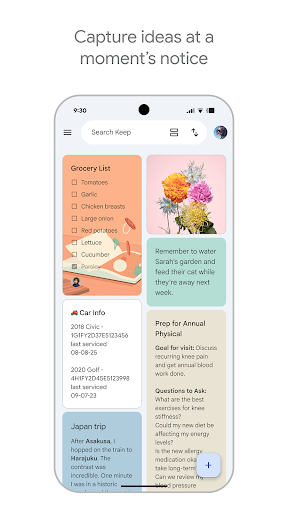
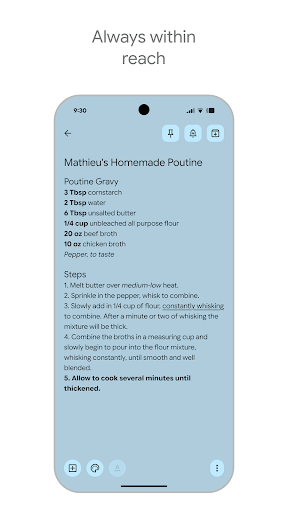
Google Keep by Google LLC is a versatile productivity app designed to simplify note-taking and organization on your Android device. Whether you need to jot down quick thoughts, create detailed to-do lists, or save voice memos, Google Keep offers a seamless experience with its intuitive interface and powerful syncing capabilities. With real-time collaboration, you can share your notes and lists with friends, family, or colleagues, making teamwork effortless. The app integrates smoothly with other Google services, ensuring your information is accessible across devices. Perfect for students, professionals, and anyone looking to stay organized, Google Keep combines simplicity with functionality to help you capture ideas and stay productive throughout your day.

Key features

  • Create and organize notes, lists, and voice memos quickly
  • Real-time collaboration for sharing and editing notes with others
  • Color-coded notes and labels to categorize your content easily
  • Reminders with time and location-based triggers to keep you on track
  • Seamless sync across all your devices via Google account
  • Integration with Google Docs and Google Assistant for enhanced productivity

Pros & Cons

Pros

User-friendly interface with minimal learning curve
Fast note creation and easy access to saved content
Strong collaboration features for group projects and planning
Reliable syncing ensuring notes are always up to date
Free to use with no ads or hidden costs

Cons

Limited formatting options compared to full-fledged note apps
Lacks advanced organization features like nested folders
No offline collaboration support
Search functionality can be less effective with large volumes of notes

FAQs

Yes, you can create and edit notes offline, and they will sync automatically once your device reconnects to the internet.
Google Keep is completely free with no subscription fees or in-app purchases.
You can share notes by adding collaborators through the note’s sharing option, allowing others to view and edit in real time.
Yes, you can set reminders that trigger based on your location, such as when you arrive at or leave a specific place.